
Download 8 Ball Pool – 8 Ball Pool, Gameloop, PC, play, billiards, pool, gaming, Android, emulator, Windows, free, install, download, online, multiplayer
Overview
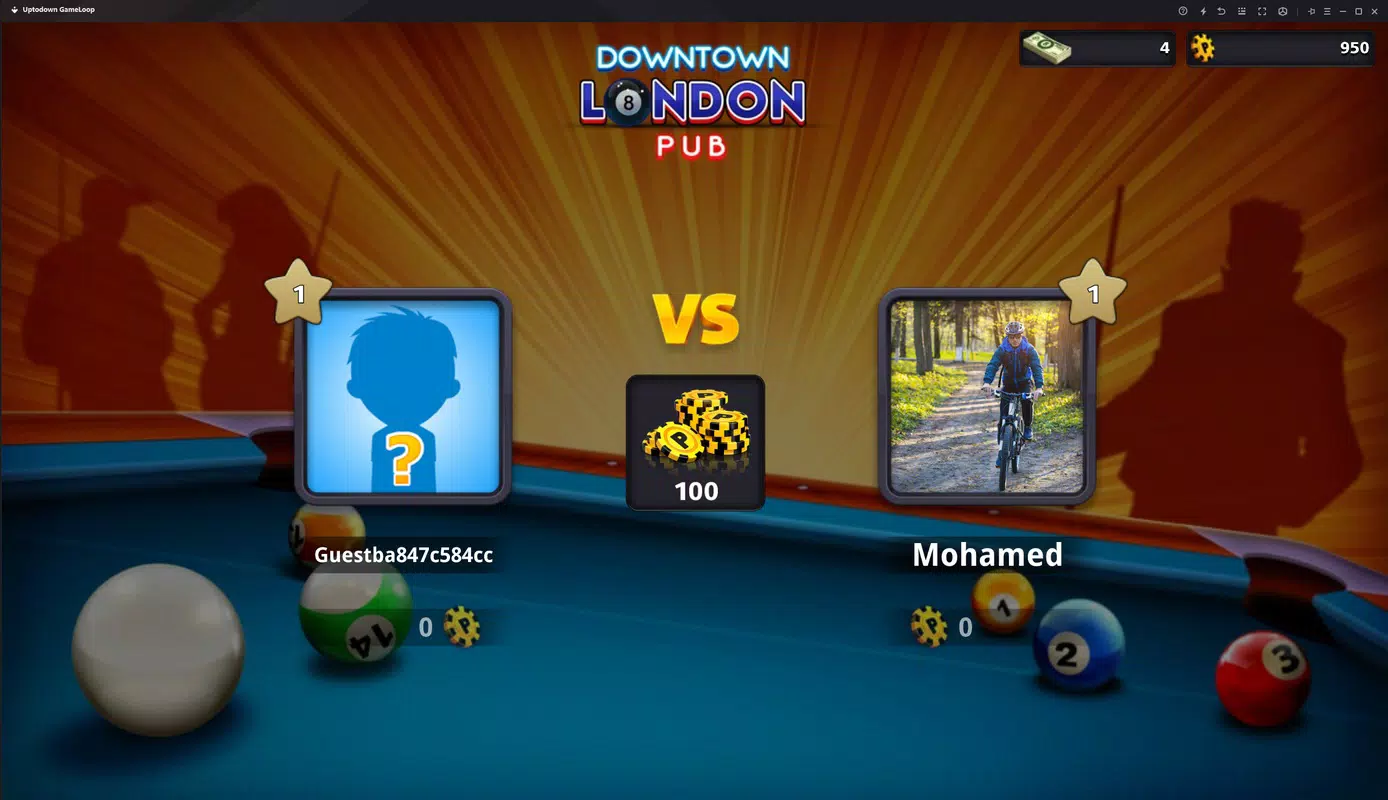
The mobile app 8 Ball Pool, developed by Tencent Studios, offers a digital recreation of the classic billiards game designed for mobile and now accessible on Windows via the Gameloop emulator. This version enables users to experience the full gameplay of 8 Ball Pool on a PC, combining the precision and strategy of real pool with online multiplayer competition. The app serves as a bridge between mobile gaming and desktop experience, allowing players to enjoy the same mechanics, modes, and competitive environment they would find on Android devices, but adapted for keyboard and mouse input. It is particularly suited for fans of strategy-based sports games and those seeking a casual yet challenging way to pass time. The game’s core purpose is to deliver an authentic billiards simulation where players aim to sink all their numbered balls before their opponent, while avoiding the black 8 ball, which ends the game if pocketed prematurely.
8 Ball Pool provides a real-world use case for players who prefer larger screens and more precise control for competitive gaming. Whether used for casual play or tournament-style matches, the app supports global connectivity, enabling real-time duels with opponents from around the world. Its presence in the mobile gaming ecosystem is notable due to its widespread popularity and long-standing presence on Android. By offering a PC-compatible version through Gameloop, Tencent Studios expands the game’s accessibility to desktop users without requiring technical expertise. The developer did not provide additional technical details beyond the platform and version, but the integration with the emulator suggests a streamlined setup process.
Key Features & Functionality
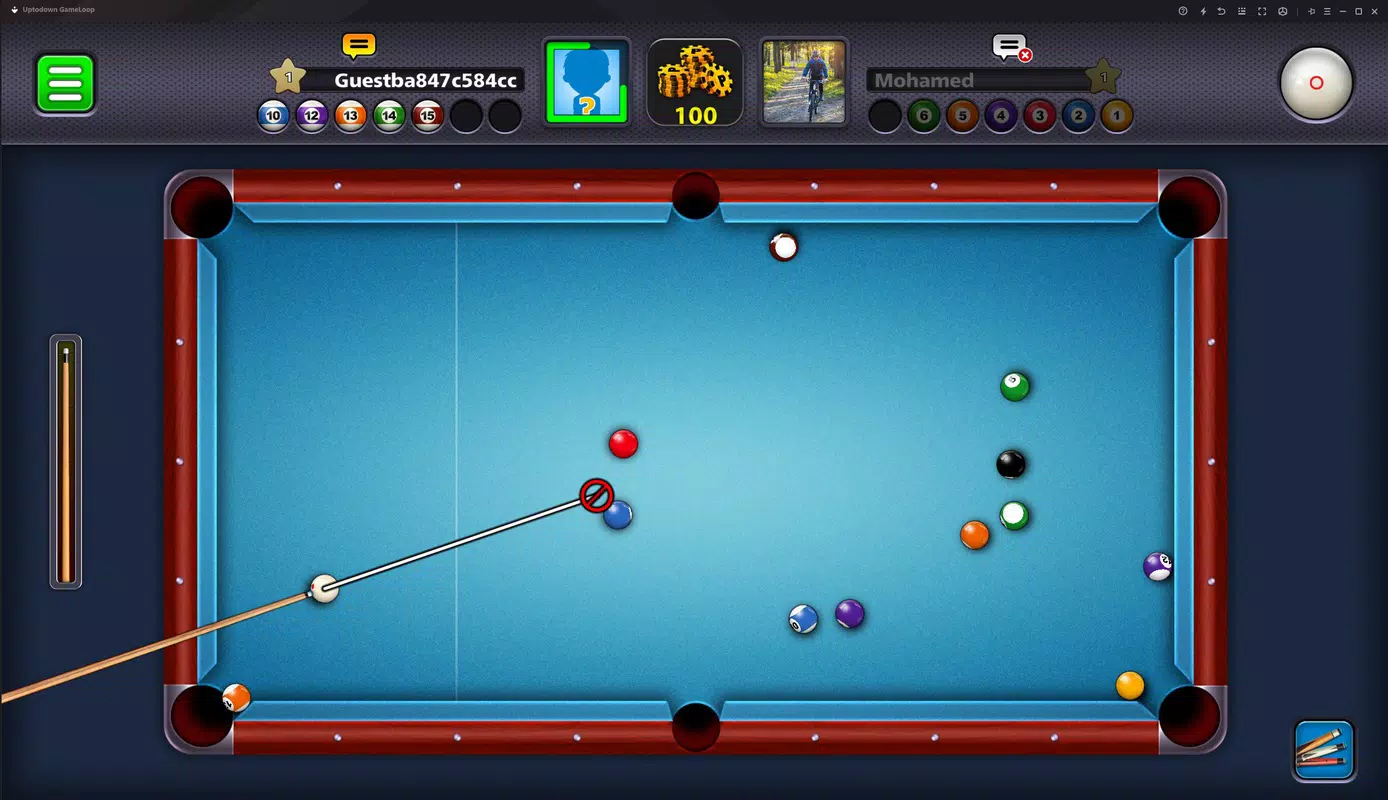
- PC-Adapted Controls: The game features a mouse-and-keyboard interface that mirrors the touch-based mechanics of the mobile version, allowing players to aim and strike the cue ball with precision using cursor movement and click-based power control.
- Multiplayer Online Mode: Players can connect with opponents globally in real-time matches, replicating the competitive spirit of the original mobile game and enabling dynamic, fast-paced duels.
- Energy Bar System: A visual energy gauge on the screen helps players regulate the force of their shots, encouraging strategic timing and accurate aiming.
- Progression System: Users earn coins through gameplay, which can be used to unlock new tables, cues, and visual customizations, enhancing both gameplay variety and personalization.
- Multiple Game Modes: The app includes standard 8 Ball Pool rules, tournament play, and practice sessions, providing diverse experiences for both beginners and experienced players.
These features are designed to translate the mobile experience into a desktop-friendly format. For example, the energy bar system allows players to fine-tune shot strength without needing touch gestures, while the online mode maintains the same competitive structure as the mobile version. The game’s mechanics remain consistent across platforms, ensuring that skill progression and match outcomes are not compromised by the change in device. This consistency is critical for players who want to maintain their ranking or improve their performance across devices.
Interface, UX & Performance
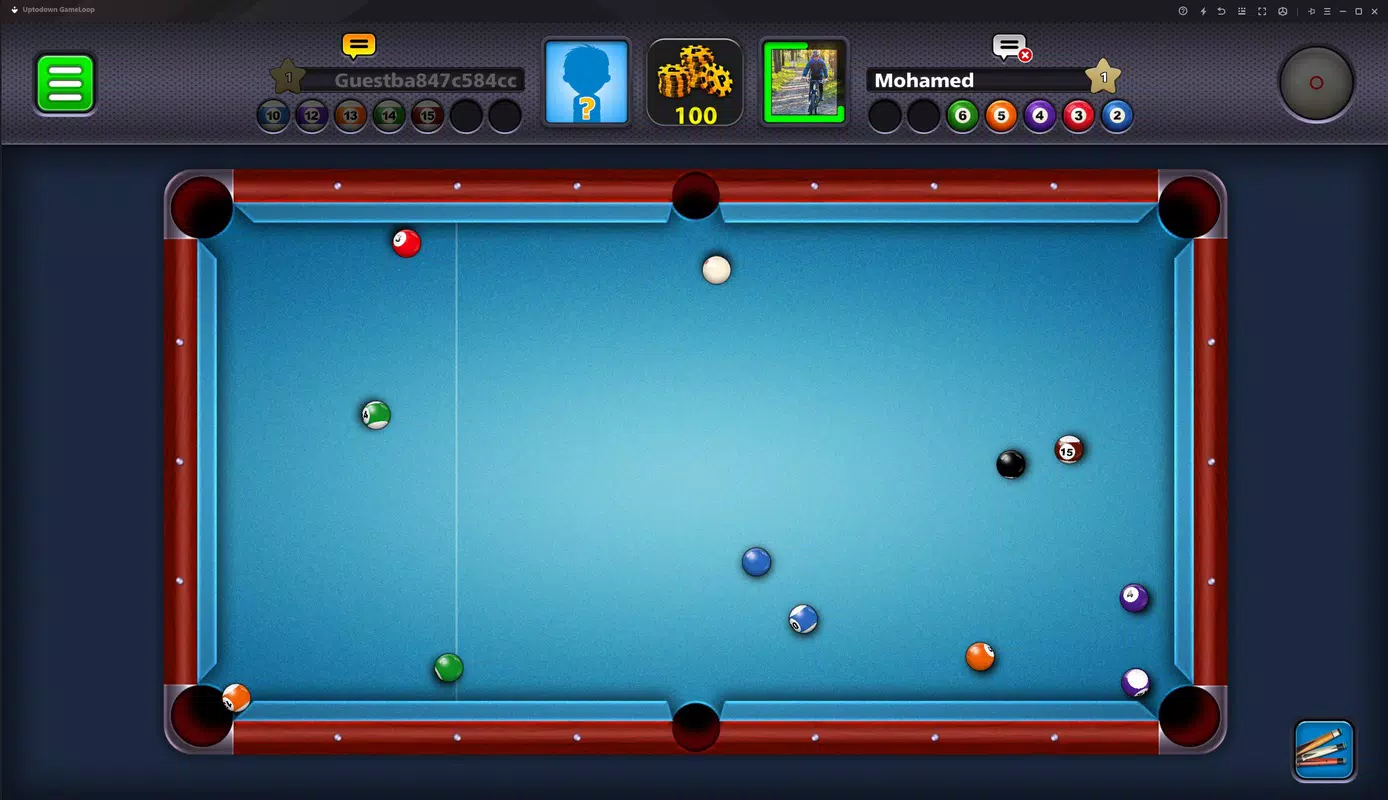
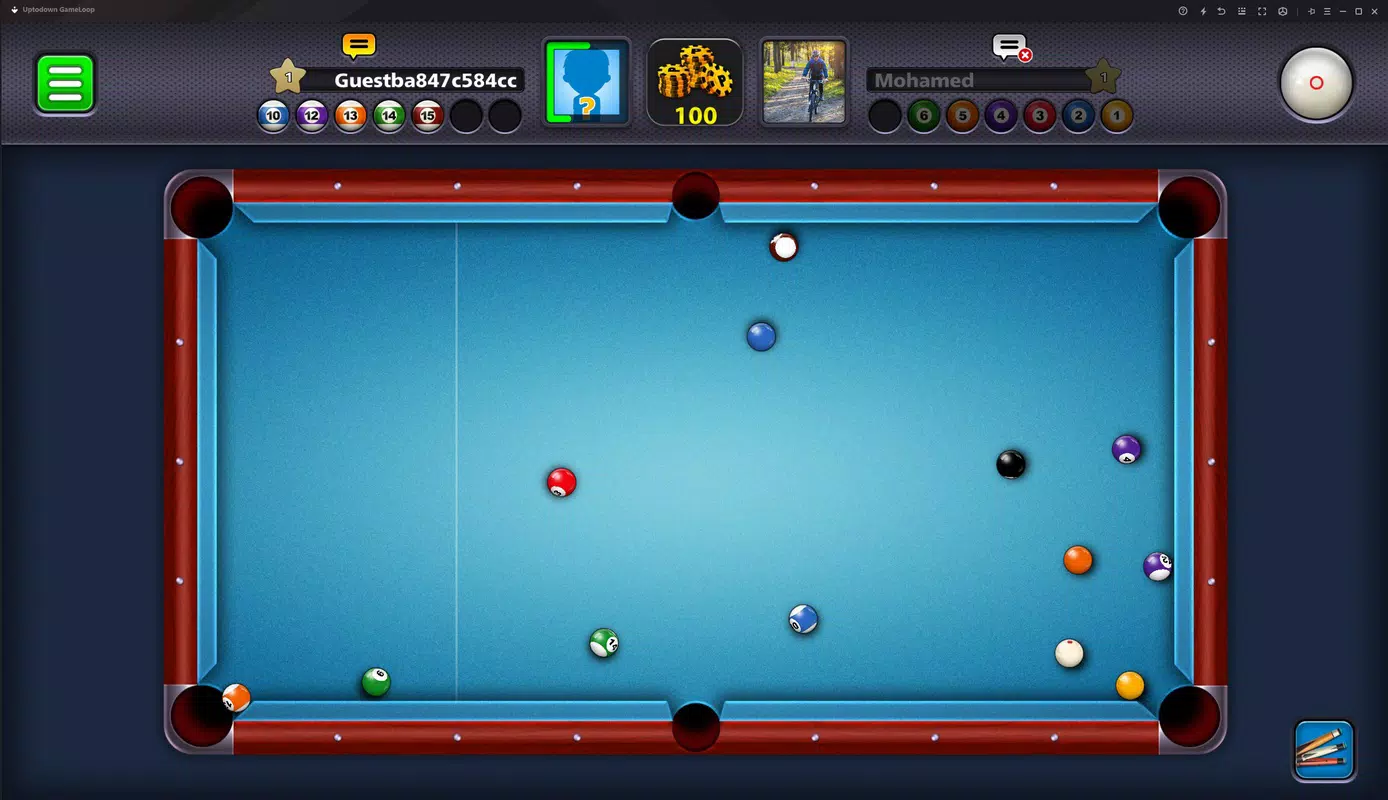
The user interface of 8 Ball Pool on PC is structured around a clean, intuitive layout that prioritizes gameplay visibility. The main screen displays the pool table, cue stick, energy meter, and player stats, with minimal distractions. Navigation is streamlined, allowing users to quickly access game modes, settings, and progress tracking without unnecessary steps. The visual style retains the vibrant, cartoonish aesthetic of the mobile version, with smooth animations during shot execution and ball collisions.
Although the developer did not list formal performance metrics, the app appears optimized for standard Windows systems, given its 1.5 GB file size and the use of the Gameloop emulator. Responsiveness is expected to be high on mid-to-high-end machines, with minimal input lag during online matches. Stability is likely maintained through the emulator’s built-in optimization, though users on older hardware may experience fluctuations in frame rate. The app’s performance on different device categories is not explicitly documented, but the reliance on a dedicated emulator suggests a consistent experience across compatible systems. Overall, the user experience is designed to be accessible to both casual players and competitive users, with a focus on seamless gameplay and minimal technical barriers.
Platform Compatibility & Technical Requirements
8 Ball Pool is available exclusively on the Windows platform, requiring the Gameloop emulator to run. The current version is 1.0.0, with a file size of 1.5 GB, which includes the game and the necessary emulator components. The developer did not specify minimum OS requirements, nor did they list compatibility details for older Windows versions or hardware configurations. As such, users should ensure their system meets general standards for running Android emulators, such as sufficient RAM and a compatible processor. The app is distributed as a free download, with no in-app purchase prompts in the initial setup, though the game may include monetization features within gameplay.
Pros and Cons
Pros
- Free to download and install, with no upfront cost for access to core gameplay.
- Seamless transition from mobile to PC via the Gameloop emulator.
- Intuitive controls adapted for mouse and keyboard, improving precision for desktop users.
- Full access to online multiplayer and global competition features.
- Progression system with unlockable content, encouraging long-term engagement.
Cons
- Specific system requirements were not listed, making it difficult to assess compatibility.
- Performance on low-end or older Windows machines may vary without official guidance.
- Dependence on a third-party emulator may raise concerns about long-term support or updates.
- Gameplay may feel less tactile compared to touch-based mobile controls.
- File size is relatively large for a single game, which could impact storage on limited devices.
FAQ
Is 8 Ball Pool available for free on Windows?
Yes, the app is available at no cost. It can be downloaded and installed without any payment, though in-game features may require coins earned through gameplay.
Do I need an Android device to play 8 Ball Pool on PC?
No, the Gameloop emulator allows the game to run directly on Windows without requiring an Android phone or tablet.
Can I play 8 Ball Pool with friends online?
Yes, the game supports real-time multiplayer matches with players worldwide, enabling competitive duels and global tournaments.
Is the PC version updated regularly?
While the developer has not provided update schedules, the app is maintained through the Gameloop platform, which typically receives periodic updates for performance and compatibility.
Is it safe to download 8 Ball Pool from third-party sources?
For optimal security, it is recommended to download the official version via the Gameloop platform. Third-party sites may distribute modified or unverified versions.
Final Thoughts
8 Ball Pool brings the beloved mobile billiards experience to the desktop with a well-executed adaptation that preserves gameplay integrity while enhancing control and accessibility. Its integration with the Gameloop emulator ensures a smooth setup, making it ideal for players who want to enjoy the game on a larger screen without technical hurdles. The combination of online multiplayer, progression systems, and intuitive controls makes it a compelling choice for both casual gamers and competitive players. While system requirements are not fully disclosed, the app’s free model and polished interface offer strong value. For anyone seeking a fun, strategic, and socially engaging pool game on Windows, this version delivers a satisfying experience.
Download 8 Ball Pool now


